If you buy through AltMode Desk links, we may earn a commission at no extra cost to you. How AltMode Desk affiliate links work
Adding a secondary display to a gaming laptop, handheld PC, or travel console setup sounds simple until you unpack it on a hotel desk. High advertised refresh rates and sharp resolutions do not mean much if your laptop cannot push the signal over its available ports, or if the screen constantly flickers because your handheld cannot supply enough power through a single cable.
Unlike standard desktop displays that sit permanently plugged into wall power and dedicated graphics cards, a portable gaming monitor balances four competing trade-offs: panel refresh rate, aspect ratio, input interface bandwidth, and power delivery. Here is how to evaluate those specifications against your specific hardware before spending your travel budget.
Modern portable displays frequently advertise high frame rates, but port capabilities vary. Many portable panels can only achieve their peak advertised refresh rate (such as 144 Hz) through a full-featured USB-C port running DisplayPort Alternate Mode, while their Mini-HDMI inputs may be limited to 120 Hz or 60 Hz. Always verify which port supports your target refresh rate before packing your cables.
The Critical Specs: What to Check Before You Buy
Sifting through marketplace listings requires looking past promotional banners and examining how the panel interacts with your source device:
1. Refresh Rate vs. Input Device
- 60 Hz Panels: Sufficient for standard Nintendo Switch play, casual RPGs, and retro emulation where frame rates rarely exceed 60 frames per second.
- 100 Hz to 120 Hz Panels: The baseline sweet spot for smoother desktop navigation, fast-paced indie titles, and modern consoles like PlayStation 5 or Xbox Series X running supported high-frame-rate performance modes.
- 144 Hz+ Panels: Designed primarily for competitive shooters and action titles running on gaming laptops or capable handheld PCs (like the Steam Deck or ROG Ally). Note that hitting 144 Hz requires both a source GPU capable of rendering those frames and a connection that supports that bandwidth.
2. Aspect Ratio: 16:9 vs. 16:10
Many modern portable screens adopt a taller 16:10 aspect ratio (such as 1920×1200 or 2560×1600). For productivity and PC gaming, the extra vertical canvas is a welcome upgrade. However, home consoles like the PS5 and Nintendo Switch output strictly in 16:9 widescreen formats (such as 1080p, 1440p, or 4K). When plugged into a 16:10 screen, consoles will either display thin black bars on the top and bottom or slightly stretch the image unless the monitor menu offers an explicit aspect-ratio scaling toggle.
3. Power Consumption and Single-Cable Setups
While single-cable USB-C convenience is the dream of mobile gaming, it has strict physical boundaries. Running a high-refresh-rate screen at peak brightness pulls substantial wattage. If powered solely by a handheld or laptop battery, your runtime drops drastically, and the screen may randomly shut down during bright gameplay scenes. For stable gaming sessions, plan to plug a dedicated USB-C Power Delivery wall adapter into the monitor's auxiliary power port, which can often pass power through to charge your connected device at the same time.
For a broader breakdown of how panel types, physical dimensions, and power draw interact on the road, read our companion guide to portable monitors for travel, screen space, and mobile power.
Four Portable Monitors Compared
The following portable displays represent different form factors and performance tiers currently available on online marketplaces. Prices and listed specifications reflect seller claims captured in October 2026 and are subject to change.
1. Fast High-Resolution Pick: ZEUSLAP 16-Inch 2.5K 144Hz Display
If you play fast-paced shooters or action games from a gaming laptop, higher resolution and rapid frame delivery make a noticeable difference in motion clarity. This ZEUSLAP model claims a sharp 2560×1600 resolution at 144 Hz, packaged in a taller 16:10 IPS panel with an advertised 500 cd/m² brightness and touch functionality.
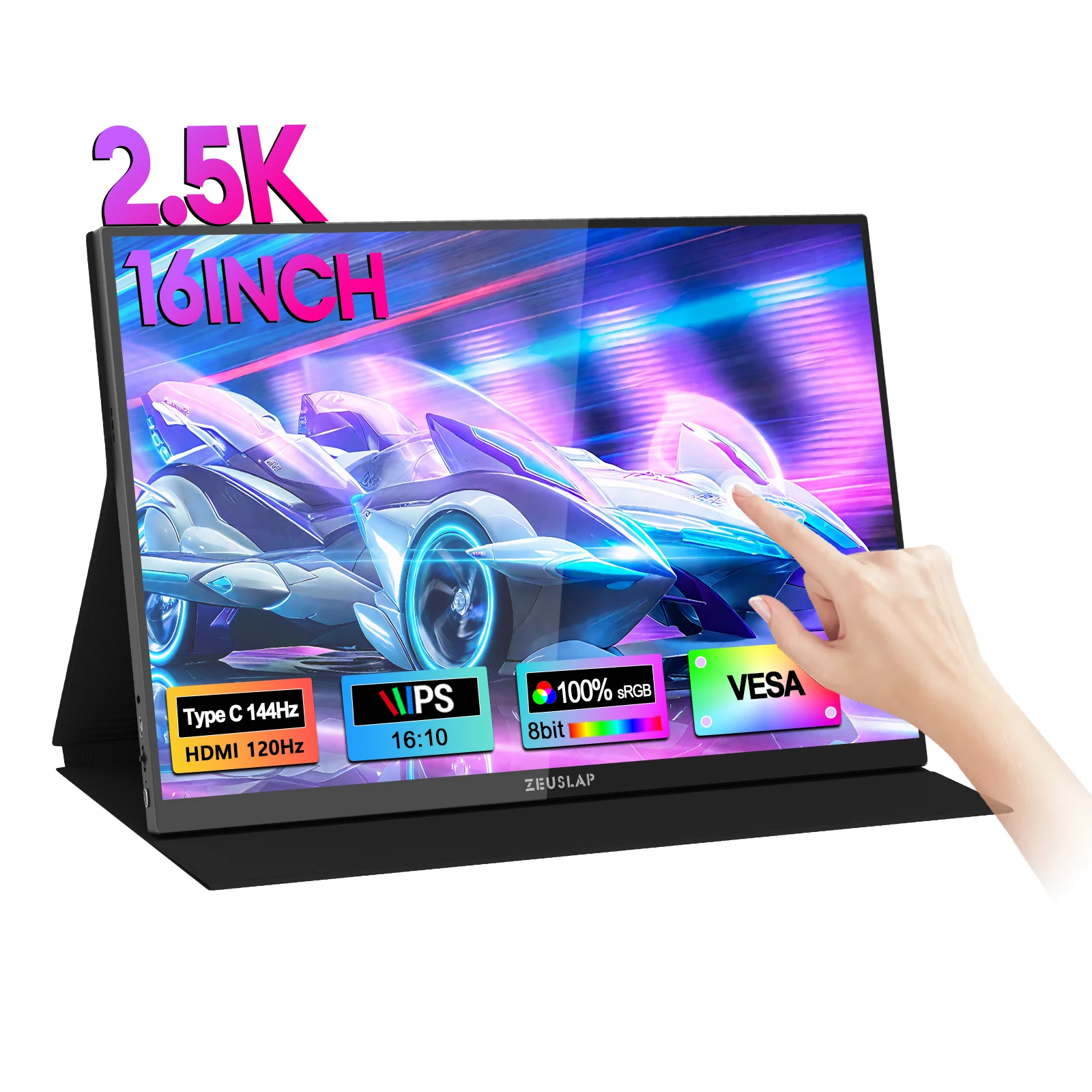
Who it suits: PC laptop gamers seeking crisp 1440p-class visuals and high frame rates over USB-C, as well as hybrid users who need color-rich screen space for daytime office tasks.
Limitations & caveats: The promotional image indicates that 144 Hz is supported over USB-C, while HDMI tops out at 120 Hz. Driving 2560×1600 at high frame rates demands a capable GPU. Because it uses a 16:10 ratio, connected consoles will show black letterboxing to preserve standard 16:9 proportions. Furthermore, touch capability requires operating system and driver support over USB, which standard consoles do not utilize.
2. Desk-Scale Immersion: ZEUSLAP 18.5-Inch 100Hz Monitor
Most portable displays max out around 15.6 or 16 inches. This 18.5-inch model trades ultra-compact portability for significantly larger screen real estate. It features a native 16:9 1080p resolution and an advertised 100 Hz refresh rate, alongside standard VESA mounting holes and an integrated fold-out kickstand.
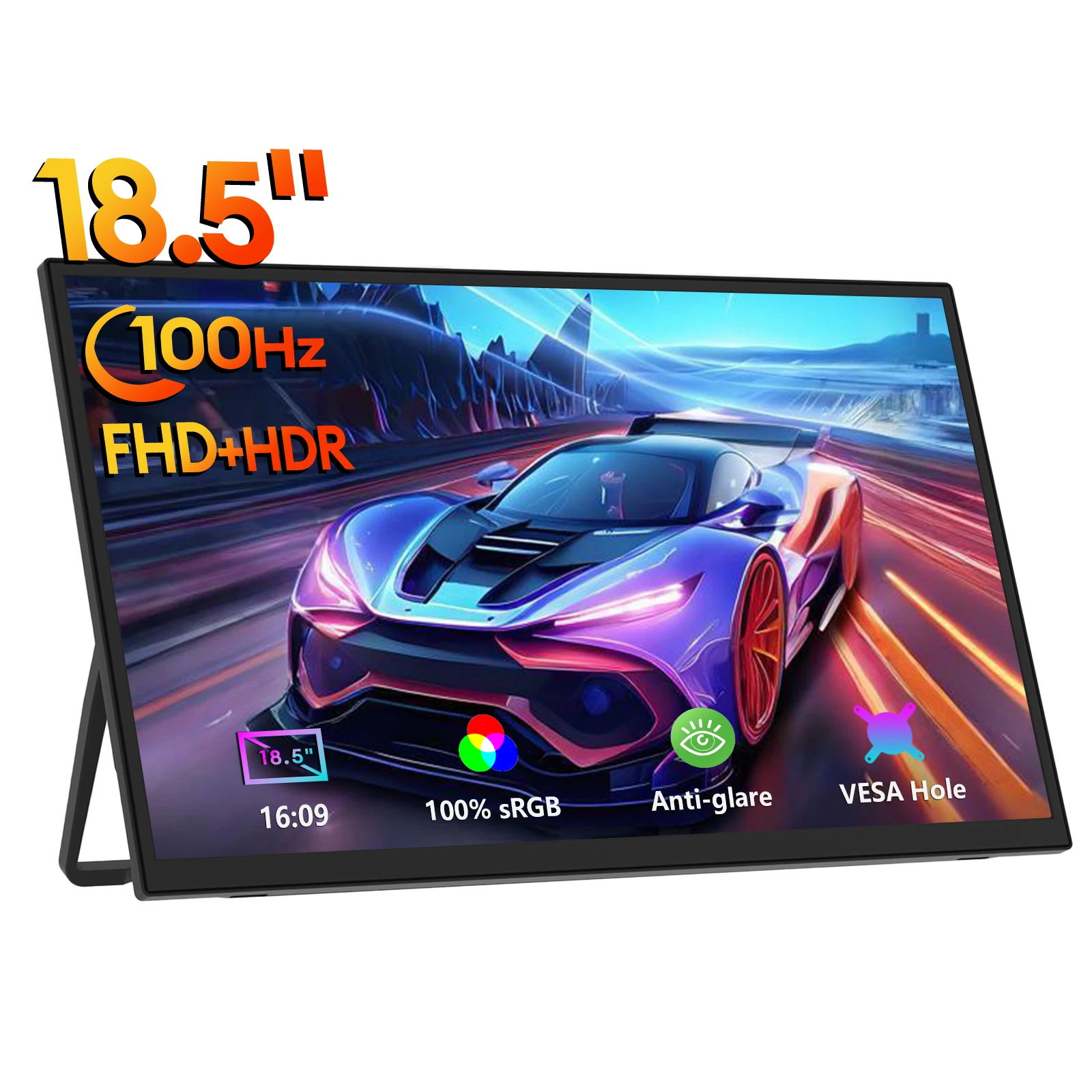
Who it suits: Gamers setting up temporary semi-permanent stations—such as longer hotel stays, dorm desks, or LAN parties—who prioritize full console visibility without hunching over a small screen.
Limitations & caveats: At 18.5 inches, this monitor will not slip into standard laptop sleeves or compact backpacks; verify your carry bag dimensions carefully. Additionally, stretching a 1080p resolution across an 18.5-inch panel results in a lower pixel density (roughly 119 PPI), meaning individual pixels and interface aliasing will be more apparent up close compared to smaller 1080p or 1440p displays.
3. Budget Standard: 15.6-Inch 1080p 60Hz Built-in Bracket Monitor
For straightforward console use or casual secondary display duties, a standard 15.6-inch Full HD monitor remains the most economical route. This model features a built-in kickstand bracket, VESA mounting capability, and a traditional 16:9 1080p layout.
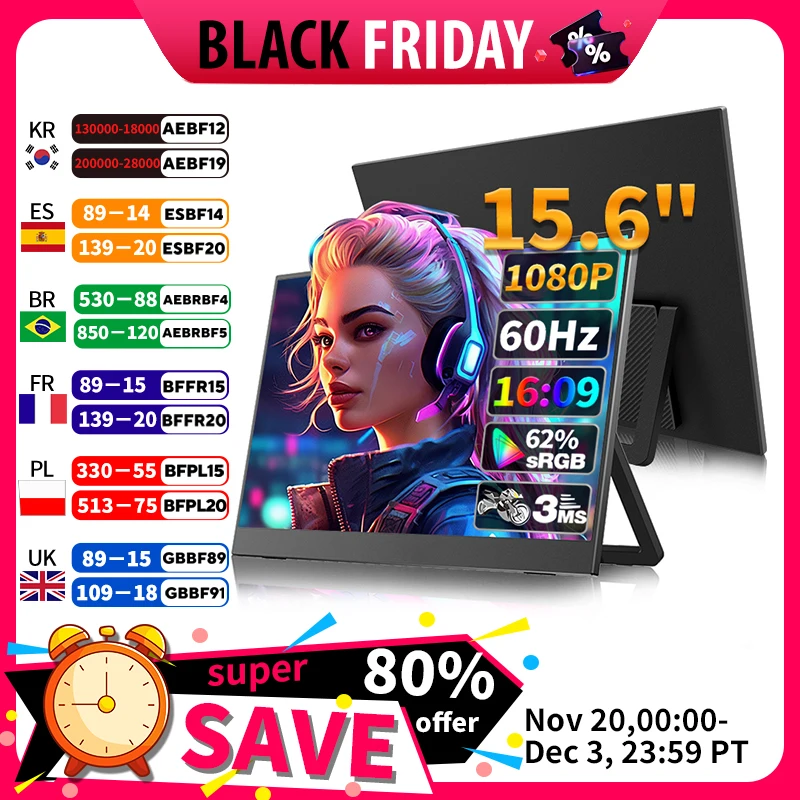
Who it suits: Console players (Nintendo Switch, PS4, or Xbox) and budget-conscious travel workers who need a simple plug-and-play screen that matches standard 60 Hz video signals without scaling issues.
Limitations & caveats: The seller graphics list color coverage at 62% sRGB, meaning colors may appear somewhat muted compared to richer 100% sRGB panels. Its 60 Hz refresh rate also will not take advantage of the 120 fps performance modes available on newer consoles or gaming laptops.
4. Compact Crossover: 14-Inch 1200p Portable Display
If bag weight and minimal footprint are your highest priorities, a 14-inch screen provides an ultralight companion display. This unit advertises a 1920×1200 IPS screen, a fold-out kickstand, and optional touch capability.
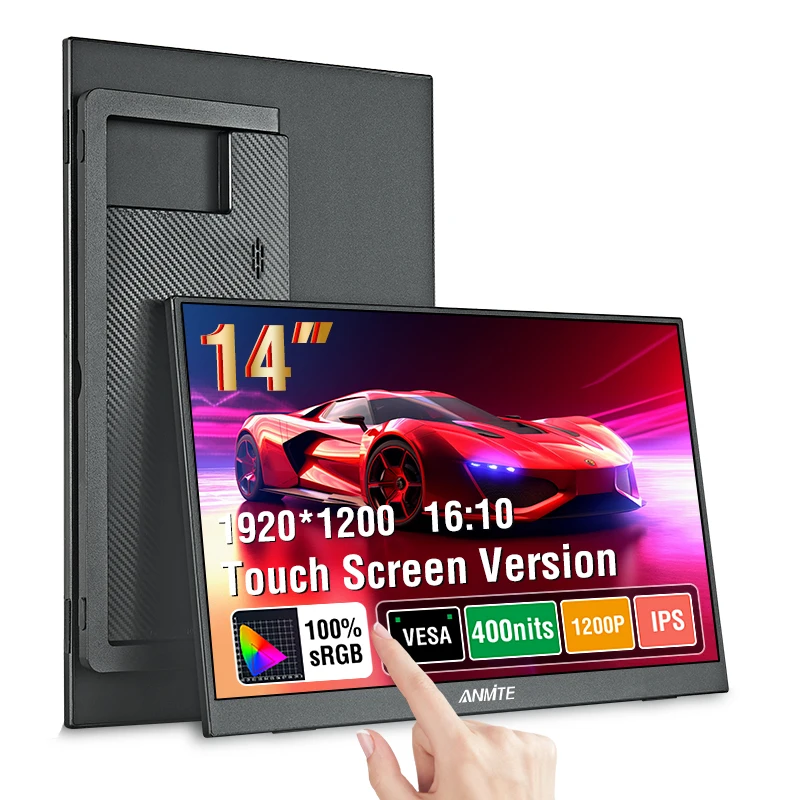
Who it suits: Handheld PC gamers (Steam Deck, ROG Ally) and travelers carrying ultraportable 13- or 14-inch laptops who want an unobtrusive second screen for indie titles or light gaming.
Limitations & caveats: Listing options often differentiate between touch and non-touch variants; verify which version you select before finalizing checkout. The compact 14-inch diagonal can make small in-game subtitles difficult to read from across a desk.
Quick Specification Comparison
| Model / Listing | Claimed Screen & Res | Advertised Refresh | Aspect Ratio | Reference Price |
|---|---|---|---|---|
| 14-Inch Crossover | 14" IPS (1920×1200) | Not stated (typical 60 Hz) | 16:10 | $74.69 |
| 15.6-Inch Bracket Monitor | 15.6" (1920×1080) | 60 Hz | 16:9 | $94.89 |
| ZEUSLAP 18.5-Inch | 18.5" IPS (1920×1080) | 100 Hz | 16:9 | $107.79 |
| ZEUSLAP 16-Inch 2.5K | 16" IPS (2560×1600) | 144 Hz (USB-C) / 120 Hz (HDMI) | 16:10 | $213.79 |
Note: Specifications are based on marketplace seller claims captured in October 2026. Input lag, exact panel overdrive tuning, and color gamut accuracy are not independently lab verified.
Buyer's Hardware Checklist Before Checkout
Before buying any portable monitor for gaming, check off these practical hardware questions:
- Does your laptop USB-C port carry display output? Look for a DisplayPort logo, Thunderbolt lightning bolt, or manufacturer manual confirmation of "DisplayPort Alt Mode." A standard USB 3.0 data port cannot output video without a specialized adapter.
- Do you have a separate 30W–65W USB-C PD charger? Relying solely on host-device bus power often locks the monitor into low-brightness mode or causes signal drops during intense gameplay. An external wall adapter plugged into the display keeps power steady.
- Are you playing on a home console? If connecting a PS5 or Xbox, confirm whether you mind the slight black bars of a 16:10 display (1200p or 1600p), or prefer a native 16:9 screen (1080p).
- How is the screen supported? Built-in kickstand hinges offer much firmer angle adjustments on cramped tables than flimsy magnetic folding folio covers. If you plan to mount it on an arm, check for standard 75×75 mm VESA spacing.
By prioritizing port bandwidth and adequate power over exaggerated marketing labels, you will ensure your travel gaming setup boots reliably wherever your itinerary takes you.
